
Swissbit Device Manager
Configure, monitor, and maintain your Swissbit Storage Devices
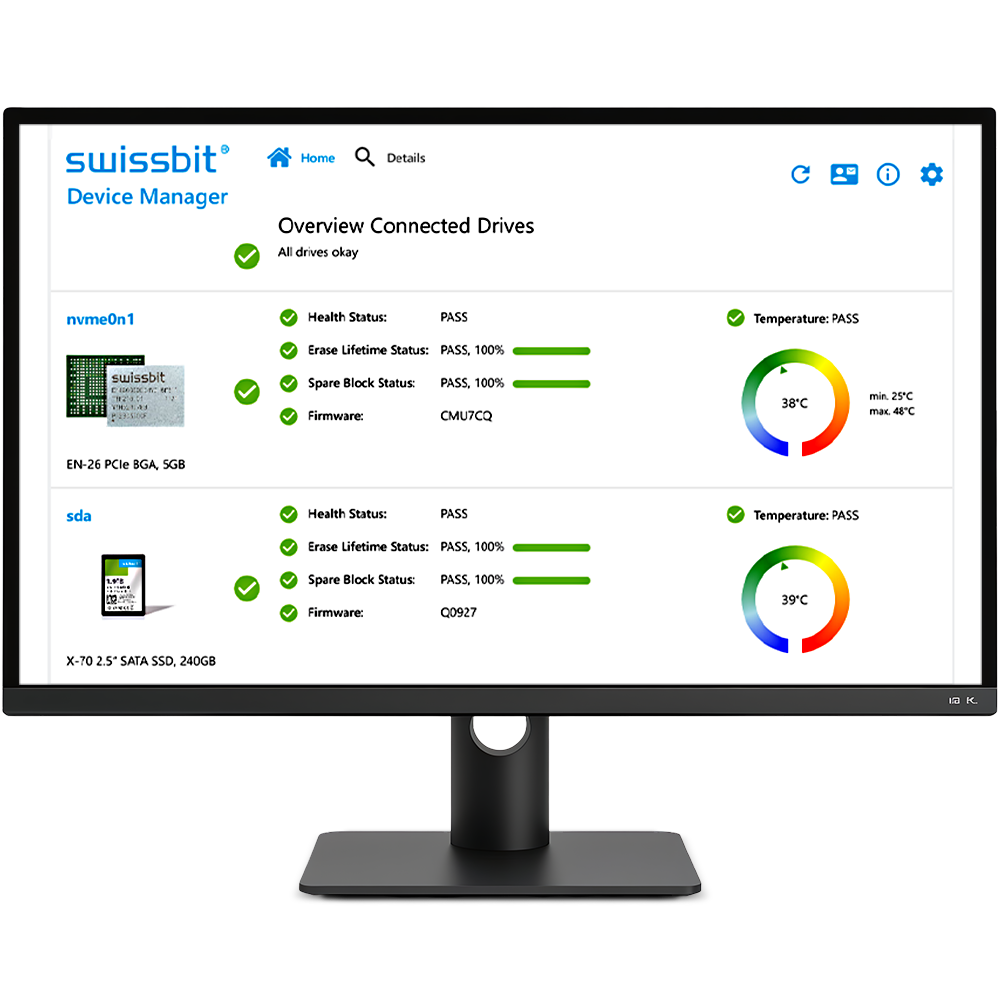
Swissbit Device Manager Tool (SBDM)
Compatible with Swissbit storage products
Shows critical device health data in an user friendly app
Visualization and accessibility of key telemetry data
Common interface for any Swissbit storage product
Identify need for maintenance and service
Reduces machine down time and field failure cost
Supports Swissbit CFC, SD, microSD, e.MMC, USB, and SSD storage products
General device information, e.g. ATA model ID, serial number, firmware version
Spare Blocks statistics (including number at time of production and current)
Usage statistics (NAND Flash erase cycles)
Various ECC / CRC counters
History of all values is recorded per device
The Swissbit Device Manager (SBDM) for Windows and Linux is a utility program that reads status information from Swissbit products with the exception of fiscal and security devices (TSE / iShield). It uses S.M.A.R.T. (Self-Monitoring, Analysis and Reporting Technology) and USB vendor specific commands to gather detailled lifetime information.
The tool can be used to extrapolate the life time expectation of a product in a real application by taking two snapshots before and after the test and evaluating the consumption through the test phase.
The SBDM software supports only Swissbit storage devices.
No support for Swissbit TSE and iShield products.
Compatible with the following product lines:
CompactFlash: C-3x (SMART capable only), C-4x, C-5x
SSD SATA: X-1x, X-2x, X-5x, X-6x, X-7x, X-8x
CFast: F-1x, F-2x, F-5x, F-6x, F-8x
USB: U-1x, U-4x, U-5x
SD: S-2x (support for Linux native SD interface only), S-4x, S-5x, S-6x
eMMC: EM-2x, EM-3x, M1x (all support for Linux native MMC interface only)
NVMe: N-1x, EN-2x, N-2x, G-2x, N-3x, N3x, N4x, N5x, D1x
The SBDM software supports following operating systems:
Windows-x86 32-bit version (Windows 7 and higher, Admin rights needed)
Windows-x64 64-bit version
Linux i386 x86 32-bit architecture
Linux x86-64 x86 64-bit architecture (amd64)
Linux-aarch64 aarch (armv8 64-bit) ARM architecture
Linux-armhf armhf (armv7 32-bit) ARM architectures
Downloads with a symbol are only available after loginOnly available after login